

39 Best Free Tools For Startups In 2026 (Tested)
Written by the Biz Tech Outlook Editorial Team | Last updated: June 2026
It costs money to run a startup. It also costs time to find the right tools. Both are tight in the early days.
Here is the good news. You do not need a big budget. You just need the right free tools for startups. Below are 39 of the top free tools, sorted into five clear groups. Each one has a real free plan. Many are free forever.
Startups can use freemium tools to boost productivity and streamline workflows. We did not just list features. Our team set up these tools, used them in real work, and noted the honest limits. Treat this page as your set of free resources. Each pick is a smart free option, and these are some of the best free software tools and free startup tools we know.
How We Selected These Tools?
We review business tools for a living. We did not pick these tools at random. We did not pick them for ads. We chose each one with a clear set of rules. Here is exactly how we built this list.
We Started With Real Startup Needs
First we listed the jobs a startup must do. Sell. Talk. Track. Get paid. Then we found the best free tool for each job. The need came first. The tool came second.
We Judged The Free Plan, Not The Sales Page
A flashy demo means little. We read the fine print on each free plan. We checked the real caps on users, contacts, and sends. A tool made the list only if its free tier does real work.
We Checked How Fast You Can Start
Founders are busy. A tool that takes days to learn is a tax on your time. We timed how long it took to set up and get a first win. Faster tools scored higher.
We Tested How Tools Connect
No tool works alone. We checked how each one links to the other tools you use. Tools that share data with a free CRM or a chat app earned extra points.
We Weighed Honest Limits
Every free tool has a catch. We did not hide it. We noted each limit in plain words. If a tool was free to try and not free forever, we said so. Trust beats hype.
Our Testing Methodology
We do not review tools from a spec sheet. Our team uses them in real work. Here is how we test, step by step.
1. We set up each tool from scratch. We made a fresh account, like a new founder would. We followed the setup with no shortcuts. This shows the true first run.
2. We used them in real work. We sent real emails. We tracked real deals. We booked real calls. A tool earns trust only when it holds up in daily use.
3. We timed the first win. We measured how long until the tool gave clear value. The sooner that moment came, the higher the score.
4. We pushed the free limits. We found where the free plan stops. Then we asked one question. Can a real startup live inside this free plan for a year?
What We Scored
- Ease of setup for a first time user
- How useful the free plan truly is
- How well it connects to other apps
- Honest value once you hit the limits
- How well it fits small teams and early stage startups
How We Keep This Guide Current?
Last updated: June 2026
Tool plans and prices change often. A guide that sits still goes stale fast. So we review this page on a set schedule and keep it fresh for you.
- We last reviewed every tool in June 2026
- We recheck free plans and prices a few times a year
- We add new tools when they earn a spot
- We drop tools that remove their free plan
- We link to official pages so you always see the live price
Spotted a change before we did? Tell us, and we will update it fast.
Marketing Tools
Marketing tools help you find and keep customers. The best part? Many are free. These free software tools cover email marketing, social media management, seo tools, and design. Use them to reach your target audience and build a consistent brand presence. You can even test a business idea with Google Ads at a small cost.
What it does: Mailchimp sends clean email marketing to your list.
Best for: Email marketing for a small business.
Free plan: The free plan includes a starter list and a monthly email cap.
Real limitation: The free contact cap fills up fast as you grow.
Use cases:
- Send a weekly newsletter
- Welcome new subscribers
- Share a product launch
Startup scenario: You open a small shop and want repeat buyers, so you email your list each week.
When to upgrade: Upgrade when your list grows past the free cap.
Good to know: Mailchimp is built for managing email marketing campaigns from start to finish.
Our take: We have built welcome emails in Mailchimp in under an hour.
What it does: Brevo sends email and texts with basic automation.
Best for: Email plus simple workflow automation.
Free plan: The free plan includes unlimited contacts and a daily send cap.
Real limitation: The free tier limits how many emails you send each day.
Use cases:
- Email new signups
- Send text reminders
- Automate a follow up
Startup scenario: You want email and texts in one tool without a big bill.
When to upgrade: Upgrade when you need more daily emails.
Our take: We like Brevo when a small team wants email and automation in one place.
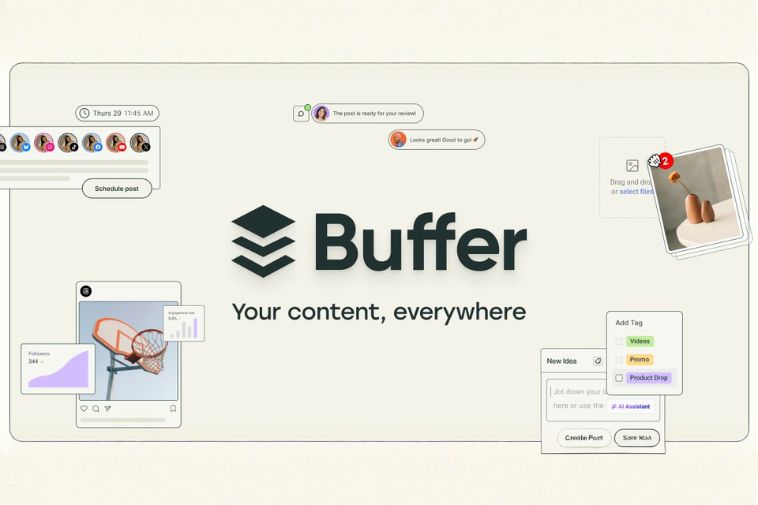
What it does: Buffer schedules your social media posts ahead of time.
Best for: Social media management for small teams.
Free plan: The free plan includes a few social media accounts and a queue.
Real limitation: The free plan limits how many accounts you link.
Use cases:
- Plan a week of posts
- Post to many accounts
- Reuse your top content
Startup scenario: You run social alone, so posts go out while you build the product.
When to upgrade: Upgrade when you add more social media accounts.
Our take: We schedule a full week of posts in Buffer in one sitting.

What it does: Canva helps you design posts, logos, and flyers fast.
Best for: Design and a consistent brand presence.
Free plan: The free plan includes thousands of templates and photos.
Real limitation: Brand kits and some art sit behind the paid plan.
Use cases:
- Design social posts
- Make a quick logo
- Build a simple flyer
Startup scenario: You have no designer, but you need clean visuals for launch day.
When to upgrade: Upgrade when you want brand kits and more art.
Our take: Our team makes social graphics in Canva every day.
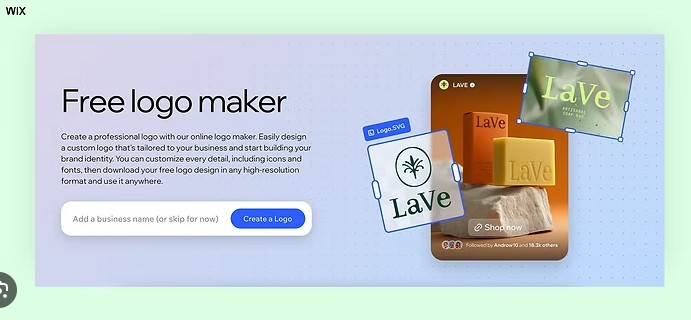
What it does: Wix Logo Maker helps you design a logo with no skills.
Best for: Fast logo and brand basics.
Free plan: Free to design a logo with basic features.
Real limitation: You pay only when you download the full logo files.
Use cases:
- Make a first logo
- Test a brand look
- Get a quick icon
Startup scenario: You need a logo today to set up your pages and accounts.
When to upgrade: Pay when you want to download the files.
Good to know: Wix Logo Maker allows free logo design, with paid downloads.
Our take: We use it for a quick first logo before hiring a designer.

What it does: Ubersuggest gives keyword ideas and light SEO data.
Best for: Simple seo tools for your own site.
Free plan: The free version includes a few searches each day.
Real limitation: The free tier caps your daily searches.
Use cases:
- Find keyword ideas
- Check a rival
- Plan blog topics
Startup scenario: You want your site to show up when people search what you sell.
When to upgrade: Upgrade when you need more searches.
Our take: We reach for Ubersuggest for fast keyword ideas.
What it does: Google Ads puts your business on search engines.
Best for: Paid reach once you have some cash flow.
Free plan: It is free to set up an account and plan campaigns.
Real limitation: You pay for each click, so set a small budget first.
Use cases:
- Test demand fast
- Drive first visitors
- Promote a launch
Startup scenario: You want to know if people will pay before you build more.
When to upgrade: Spend more only when each ad brings real sales.
Our take: We start small with Google Ads to test demand first.
What it does: Google Business Profile puts you on Google Maps and search.
Best for: Free local SEO for a small business.
Free plan: Completely free to claim and manage your listing.
Real limitation: You must verify your business to go live.
Use cases:
- Show on Google Maps
- Collect reviews
- Share hours and offers
Startup scenario: You run a local service and want nearby clients to find you free.
When to upgrade: No paid plan. It stays free.
Our take: We set this up for every local startup. It drives free local traffic.
Marketing Tools: Quick Comparison
| Tool | Best for | Free plan | Upgrade when |
|---|---|---|---|
| Mailchimp | Email marketing | Up to 500 contacts | List grows |
| Brevo | Email and automation | Daily email cap | More sends |
| Buffer | Social scheduling | 3 channels | More channels |
| Canva | Design | Huge template set | Brand kit |
| Wix Logo Maker | Logo design | Free to design | Paid download |
| Ubersuggest | SEO research | Few daily searches | More data |
| Google Ads | Paid search | Free to set up | Ads convert |
| Google Business Profile | Local listing | Completely free | None |
Productivity Tools
Productivity tools keep your work and your team in order. These free productivity tools cover project management, team communication, and workflow automation. They keep your business operations smooth. The free communication tools here handle video calls and file sharing. This group also includes Google Workspace and Google Calendar, plus handy ai tools.
What it does: Trello tracks tasks on a simple visual board.
Best for: Easy project management for small teams.
Free plan: Free forever with unlimited cards and basic automation.
Real limitation: The free plan caps boards per workspace.
Use cases:
- Track daily tasks
- Plan a small project
- Run a simple pipeline
Startup scenario: Your two person team keeps forgetting tasks, so you put them on one board.
When to upgrade: Upgrade for timeline and calendar views.
Good to know: Trello uses Kanban boards to manage tasks and projects in a visual way.
Our take: We set Trello up for new founders all the time. People feel calm fast.
What it does: Asana maps projects, owners, and due dates.
Best for: Project management tools as your team grows.
Free plan: The free version supports up to 15 users with unlimited tasks.
Real limitation: The many features can feel busy at first.
Use cases:
- Plan a launch
- Assign clear owners
- Track due dates
Startup scenario: Your team grew to eight and chat is no longer enough to track work.
When to upgrade: Upgrade for timelines and reporting.
Good to know: Asana offers both list and board views for team collaboration.
Our take: When a team grows past five people, Asana shines. Due dates stop slipping.
What it does: ClickUp blends tasks, docs, and goals in one app.
Best for: A flexible all in one work tool.
Free plan: The free version includes unlimited tasks.
Real limitation: So many options can feel heavy on day one.
Use cases:
- Manage tasks and docs
- Set team goals
- Build custom views
Startup scenario: You want one tool to replace three, shaped your way.
When to upgrade: Upgrade for more storage and advanced views.
Good to know: ClickUp includes unlimited tasks free and is customizable for many team needs.
Our take: We like ClickUp when a team wants one tool to do it all.
What it does: Jira runs strong project management for agile teams.
Best for: Agile sprints for product and dev teams.
Free plan: The free plan covers a small team with core features.
Real limitation: It is built for software teams, so it can feel complex.
Use cases:
- Plan sprints
- Track bugs
- Manage a backlog
Startup scenario: Your dev team runs in sprints and needs a proper agile board.
When to upgrade: Upgrade when you grow past the free seat cap.
Good to know: Jira provides robust project management for agile teams.
Our take: We point dev teams to Jira when they run sprints.
What it does: Slack keeps team communication in tidy channels.
Best for: A fast communication platform for any team.
Free plan: The free plan gives you message history and many integrations.
Real limitation: Older messages may be limited over time.
Use cases:
- Chat by project
- Share quick files
- Connect your apps
Startup scenario: Your inbox is buried, so the team moves quick talk into channels.
When to upgrade: Upgrade for full message history.
Good to know: Slack’s free plan allows access to message history and integrations.
Our take: Slack changed how our own team works. Email dropped almost overnight.
What it does: Notion holds notes, docs, and plans in one app.
Best for: Free productivity tools for your business plan.
Free plan: The free plan includes endless pages for one person.
Real limitation: A blank page can feel hard to start.
Use cases:
- Write your business plan
- Build a team wiki
- Track simple projects
Startup scenario: Your notes live in five places, so you bring them into one home.
When to upgrade: Upgrade when your team needs more sharing.
Good to know: Notion is great for organizing documentation and managing data.
Our take: We keep our plans and wikis in Notion. New teammates read one page and get it.
What it does: Airtable is a spreadsheet and database in one tool.
Best for: Flexible data that looks like a sheet.
Free plan: The free plan includes records and basic features.
Real limitation: Large data sets hit the free record cap.
Use cases:
- Track a content plan
- Manage a lead list
- Log simple stock
Startup scenario: A plain sheet got messy, so you switch to a flexible database.
When to upgrade: Upgrade when you need more records.
Good to know: Airtable is a hybrid spreadsheet database platform.
Our take: We use Airtable to track content plans and simple lists.
What it does: Calendly books meetings without back and forth email.
Best for: Easy scheduling for sales and demos.
Free plan: The free plan connects to calendars and gives custom booking links.
Real limitation: The free plan allows one event type.
Use cases:
- Book sales calls
- Set demo slots
- Skip email back and forth
Startup scenario: You waste hours picking times, so clients pick a slot themselves.
When to upgrade: Upgrade when you need more event types.
Good to know: Calendly automates meeting scheduling based on your preset availability.
Our take: We share one Calendly link and meetings just fill in.

What it does: Zoom runs clear video calls from anywhere.
Best for: Video calls and client demos.
Free plan: The free plan allows up to 100 people in a group video call.
Real limitation: Group calls cut off at 40 minutes on the free tier.
Use cases:
- Run team standups
- Demo to clients
- Host a small webinar
Startup scenario: You sell to clients in other cities and meet them by video.
When to upgrade: Upgrade when you host long meetings.
Good to know: Zoom allows up to 100 participants in free group meetings.
Our take: We run client calls on Zoom every week. The video holds up on weak wifi.
What it does: Google apps give you docs, sheets, and file sharing.
Best for: Free productivity tools for daily business operations.
Free plan: A free Google account includes Docs, Drive, and Google Calendar.
Real limitation: Free storage on a personal account is limited.
Use cases:
- Write docs together
- Share files fast
- Plan with Google Calendar
Startup scenario: Your team edits one plan live instead of emailing versions.
When to upgrade: Upgrade to Google Workspace for a custom email.
Good to know: Google Workspace includes document management and lets you edit files together in real time.
Our take: We write docs and share files here daily. Live edits save many emails.
What it does: Zapier links your different apps so they work as one.
Best for: Simple workflow automation between tools.
Free plan: The free plan includes a set number of basic automation tasks.
Real limitation: The free tier limits tasks each month.
Use cases:
- Send leads to your CRM
- Save form replies
- Alert your team
Startup scenario: You retype the same data between apps, so you let Zapier do it.
When to upgrade: Upgrade when you need more tasks.
Our take: We use Zapier to move data between apps on its own. It saves hours.

What it does: ChatGPT is one of the best free ai tools for daily work.
Best for: Writing help and quick research.
Free plan: The free version includes chat help for many tasks.
Real limitation: Always check its work before you ship it.
Use cases:
- Draft emails
- Brainstorm ideas
- Summarize notes
Startup scenario: You are stuck on a blank page, so you ask for a first draft.
When to upgrade: Upgrade for the newest, faster model.
Our take: We use ChatGPT to draft and plan. Always read its work first.
Productivity Tools: Quick Comparison
| Tool | Best for | Free plan | Upgrade when |
|---|---|---|---|
| Trello | Project boards | Free forever | Advanced views |
| Asana | Work management | Up to 15 users | Timelines |
| ClickUp | All in one work | Unlimited tasks | More storage |
| Jira | Agile PM | Small team free | More seats |
| Slack | Team chat | History and apps | Full history |
| Notion | Notes and docs | Endless pages | Team space |
| Airtable | Spreadsheet database | Records cap | More records |
| Calendly | Scheduling | Calendar links | More events |
| Zoom | Video meetings | 100 people | No time limit |
| Google Workspace | Docs and storage | Free Google account | Custom email |
| Zapier | Automation | Limited tasks | More tasks |
| ChatGPT | AI assistant | Free chat | Newer model |
Analytics Tools
You cannot grow what you cannot measure. Analytics tools show what works on your own site. These free tools cover Google Analytics, Google Search Console, and basic reporting. They show your traffic from search engines and where each visitor came from. The data helps you make smart, fast choices.
What it does: Google Analytics shows who visits your own site.
Best for: Core website data and basic reporting.
Free plan: Free forever for almost every small business.
Real limitation: The newest version has a learning curve.
Use cases:
- See top pages
- Track traffic sources
- Set simple goals
Startup scenario: You guess what works on your site, so you check the real numbers.
When to upgrade: Most startups never need to pay for it.
Our take: We add Google Analytics to every site we launch. The data tells a clear story.

What it does: Search Console shows how you rank on search engines.
Best for: Free seo tools for your own site.
Free plan: Completely free with no limits for the site owner.
Real limitation: It only covers traffic from Google search.
Use cases:
- Find ranking words
- Spot search errors
- Submit your sitemap
Startup scenario: You want to know which search terms bring people to your site.
When to upgrade: No paid plan. It stays free.
Our take: We check Search Console weekly. It shows the words that bring people in.
What it does: Clarity records how people use your site.
Best for: Free heatmaps and session replays.
Free plan: Free forever with no traffic limits.
Real limitation: It shows behavior, not full traffic reports.
Use cases:
- Watch session replays
- Read heatmaps
- Find dead clicks
Startup scenario: Visitors leave a page and you want to see exactly why.
When to upgrade: No paid plan. It is fully free.
Our take: We love Clarity for free heatmaps. You see where visitors get stuck.

What it does: Hotjar shows heatmaps and short surveys.
Best for: Visitor feedback and behavior.
Free plan: The free plan includes a set number of sessions.
Real limitation: The free tier caps tracked sessions.
Use cases:
- Run a quick poll
- Read a heatmap
- Collect feedback
Startup scenario: You want one honest answer from visitors about your page.
When to upgrade: Upgrade when you need more sessions.
Our take: We use Hotjar to ask one quick question on a page.
What it does: Matomo is an analytics tool you fully control.
Best for: Privacy first website data.
Free plan: Free when you host it on your own server.
Real limitation: Self hosting needs some tech setup.
Use cases:
- Own all your data
- Track without cookies
- Stay private
Startup scenario: A client wants privacy and to hold their own data.
When to upgrade: Pay for the cloud version to skip setup.
Our take: We pick Matomo when a client wants to own all their data.
What it does: Cloudflare gives simple, private traffic numbers.
Best for: Light, private basic reporting.
Free plan: Completely free with no cookies.
Real limitation: It offers fewer details than Google Analytics.
Use cases:
- See visit counts
- Skip cookie banners
- Check traffic fast
Startup scenario: You want a quick, clean view of visits with no fuss.
When to upgrade: No paid tier for the basic tool.
Our take: We use this for a fast, clean view of visits. No cookies, no fuss.
Analytics Tools: Quick Comparison
| Tool | Best for | Free plan | Upgrade when |
|---|---|---|---|
| Google Analytics | Website analytics | Free forever | Rarely needed |
| Google Search Console | Search data | Completely free | None |
| Microsoft Clarity | Heatmaps | Free forever | None |
| Hotjar | Feedback | Limited sessions | More sessions |
| Matomo | Private analytics | Free self hosted | Cloud plan |
| Cloudflare Web Analytics | Simple analytics | Completely free | None |
CRM Tools
A free CRM keeps your customers in one place. This is the heart of customer relationship management. These tools store contacts, track deals, and act as a simple support system. They help small teams sell more and never lose a lead. Each one is a strong startup tool with a real free plan.
What it does: HubSpot stores every contact and deal in one place.
Best for: The best free CRM for most startups.
Free plan: Free forever with unlimited contacts.
Real limitation: Advanced sales tools cost extra.
Use cases:
- Track every lead
- Log calls and emails
- Manage a deal board
Startup scenario: You lose deals when follow ups slip, so you track them all.
When to upgrade: Upgrade when you need deeper sales tools.
Good to know: It also works as a simple support system and grows with your business plan.
Our take: We have seen founders lose deals from missed follow ups. HubSpot fixes that free.
What it does: Zoho CRM handles customer relationship management for small teams.
Best for: A free CRM for a few users.
Free plan: The free plan includes basic features for three users.
Real limitation: The free tier limits users and automation.
Use cases:
- Run a small pipeline
- Store contacts
- Assign leads
Startup scenario: Your three person sales team needs a tidy, free pipeline.
When to upgrade: Upgrade when your sales team grows.
Our take: We like Zoho for a tidy, low cost pipeline.
What it does: Pipedrive shows your sales as a clean visual pipeline.
Best for: Visual deal tracking for sales teams.
Free plan: Free to try for a set period, then low cost plans.
Real limitation: It has a free trial, not a free forever plan.
Use cases:
- Drag deals by stage
- Forecast a pipeline
- Set sales tasks
Startup scenario: Sales is your main job and you want a clear visual pipeline.
When to upgrade: Pick a paid plan when the trial ends.
Good to know: Pipedrive offers a visual sales pipeline for tracking leads.
Our take: We like Pipedrive when sales is the main job and budget allows.
What it does: Bitrix24 mixes a free CRM with a communication platform.
Best for: CRM plus chat and tasks in one.
Free plan: The free plan includes unlimited users with basic features.
Real limitation: It packs in a lot, so it can feel heavy.
Use cases:
- Run CRM and chat
- Share team tasks
- Store contacts
Startup scenario: You want sales and team chat under one free roof.
When to upgrade: Upgrade for more storage and tools.
Our take: We use Bitrix24 when a team wants CRM and chat together.

What it does: Freshsales tracks contacts and deals with a clean look.
Best for: A simple free CRM and support system.
Free plan: The free plan includes contact and deal tracking.
Real limitation: Reports are limited on the free tier.
Use cases:
- Stage your leads
- Track deals
- Keep a clean list
Startup scenario: You want a simple CRM your team learns in a day.
When to upgrade: Upgrade for reports and automation.
Our take: We find Freshsales clean and easy. New users learn it fast.
What it does: ChatWoot adds customer messaging to your website.
Best for: A free support system and live chat.
Free plan: Free when you host the open source version yourself.
Real limitation: Self hosting needs some tech setup.
Use cases:
- Chat with visitors
- Answer support fast
- Own your data
Startup scenario: You want live chat on your site without a monthly bill.
When to upgrade: Pay for the cloud version to skip setup.
Good to know: ChatWoot adds customer messaging to your website for free.
Our take: We add ChatWoot so visitors can reach us without email.
CRM Tools: Quick Comparison
| Tool | Best for | Free plan | Upgrade when |
|---|---|---|---|
| HubSpot CRM | Full CRM | Unlimited contacts | Sales tools |
| Zoho CRM | CRM | 3 users | More users |
| Pipedrive | Sales pipeline | Free trial | Paid plan |
| Bitrix24 | CRM and chat | Unlimited users | More storage |
| Freshsales | Sales CRM | Contacts and deals | Reports |
| ChatWoot | Live chat | Free self hosted | Cloud plan |
Finance Tools
Money is the heart of any small business. These free tools cover basic accounting, invoices, and payments. They help you watch your cash flow and get paid on time. Strong numbers also make your business plan easier to pitch. Every online tool here is built to keep costs low.
What it does: Wave handles basic accounting and invoices for free.
Best for: Free basic accounting for a small business.
Free plan: The free plan includes invoices and expense tracking.
Real limitation: Payments and payroll cost extra.
Use cases:
- Send invoices
- Track expenses
- Watch cash flow
Startup scenario: You need clean books but cannot pay for software yet.
When to upgrade: Pay only for payments or payroll add ons.
Our take: We track cash flow in Wave every week. Invoices look clean and pro.
What it does: Zoho Invoice sends clean invoices and tracks payments.
Best for: Free invoicing for freelancers and startups.
Free plan: Completely free invoicing for small business use.
Real limitation: It focuses on invoices, not full accounting.
Use cases:
- Bill clients
- Track payments
- Send reminders
Startup scenario: You freelance and want fast, free invoices that look pro.
When to upgrade: Move to Zoho Books for full accounting.
Our take: We bill clients in Zoho Invoice in minutes. It is fully free.
What it does: FreshBooks helps you make and send invoices with ease.
Best for: Guided invoicing for startups.
Free plan: Free to try, then low cost plans for full features.
Real limitation: It is a free trial, not a free forever plan.
Use cases:
- Create guided invoices
- Track time
- Log expenses
Startup scenario: You want a guided setup that walks you through each step.
When to upgrade: Pick a plan after the trial.
Good to know: FreshBooks provides guided invoice creation for startups.
Our take: We point new founders to FreshBooks when they want a guided setup.
What it does: Square takes payments and makes invoices.
Best for: Payments plus free invoice tools.
Free plan: Free to use invoice tools. You pay a fee per sale.
Real limitation: Card fees apply on each payment.
Use cases:
- Take card payments
- Send invoices
- Sell in person
Startup scenario: You sell at events and online and need both in one place.
When to upgrade: No plan. Fees scale with sales.
Good to know: Square offers invoice creation as part of its free tools.
Our take: We use Square when a founder also sells in person.
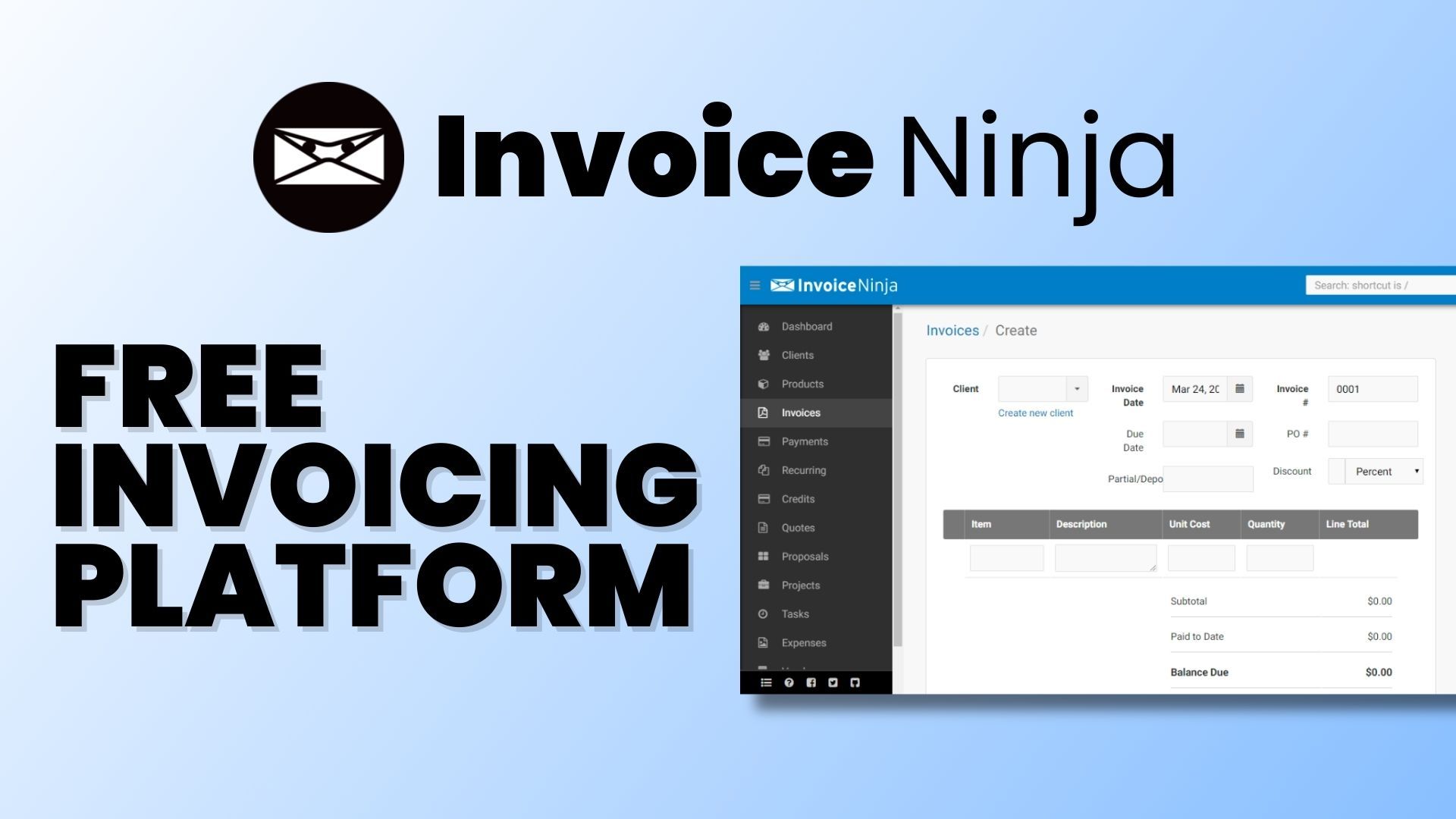
What it does: Invoice Ninja makes clean invoices and tracks them.
Best for: Free invoicing with template choices.
Free plan: The free version includes four invoice templates.
Real limitation: Advanced features need a paid plan.
Use cases:
- Pick an invoice template
- Bill clients
- Track status
Startup scenario: You want free invoices with a template that fits your brand.
When to upgrade: Upgrade for more templates and tools.
Good to know: Invoice Ninja provides four template options in its free version.
Our take: We like Invoice Ninja when a founder wants free, flexible invoices.
What it does: PayPal lets you take payments and send invoices online.
Best for: Simple payments for early stage startups.
Free plan: Free to set up. You pay a fee per sale.
Real limitation: Fees add up on each transaction.
Use cases:
- Accept online payments
- Send an invoice
- Get paid abroad
Startup scenario: You need to take your first payment today with no setup.
When to upgrade: No plan. Fees scale with sales.
Good to know: PayPal includes built in invoice creation features.
Our take: We use PayPal to take first payments fast. Just mind the fee per sale.
What it does: Stripe powers card payments on your own site.
Best for: Online payments for growing startups.
Free plan: Free to start. You pay per transaction.
Real limitation: Setup needs a little tech help.
Use cases:
- Charge cards on your site
- Run subscriptions
- Handle refunds
Startup scenario: You sell online and want smooth card payments built in.
When to upgrade: No plan. Costs scale with sales.
Our take: We use Stripe for cards and subscriptions. Then it just works.
Finance Tools: Quick Comparison
| Tool | Best for | Free plan | Upgrade when |
|---|---|---|---|
| Wave | Accounting | Invoices and expenses | Payments |
| Zoho Invoice | Invoicing | Completely free | Full books |
| FreshBooks | Invoicing | Free trial | Paid plan |
| Square | Payments and invoices | Free tools | Fee per sale |
| Invoice Ninja | Invoicing | 4 templates | More tools |
| PayPal | Payments | Free to set up | Fee per sale |
| Stripe | Card payments | Free to start | Fee per sale |
Bonus: More Free Tools and Resources
A few more free helpers worth a look. Some are tools. Some are free resources to learn and grow.
- Carrd: a free website builder for a simple one page site
- Google Hangouts: a free video and chat service for Google accounts
- Yet Another Mail Merge: send personalized bulk emails right from Google Sheets
- Invoiced: a free version for creating invoices online
- HubSpot Academy: free courses in marketing and social media strategy
- GrowthHackers: a resource hub for growth marketing strategies
Money Saving Tips: Get These Tools Free or Cheaper
Smart founders stretch every dollar. Use these tips to pay less, or nothing at all. Each link takes you to the right page.
Top Tips to Spend Less
Always start on the free plan. Most tools let you do real work for free. Begin there. Only pay once a limit slows you down. Browse all the free plans above
Apply to startup programs for big discounts. Many tools give startups deep discounts or credits. It takes one short form. HubSpot for Startups
Grab free credits for your stack. Some tools hand new startups free credits for months. Notion for Startups
Join Google for Startups. Google runs programs with tools, training, and support for founders. Google for Startups
Pay yearly to save. Annual billing often costs less than paying month to month. Switch once you commit. See Mailchimp pricing
Use nonprofit and education plans. If you qualify, some tools give their paid plan for free. Canva for Nonprofits
Watch for seasonal deals. Look for sales around year end. You can lock in a low rate for a year. Check Zoho pricing
The Startup Stack Blueprint
You do not need all of these tools. Pick a small stack that fits your stage. Here are three ready made stacks built only from free tools. Start with one. Then grow as you grow.
Solo Founder Stack
Tiny, fast, and free. For one person testing a business idea.
- Trello for tasks
- Google Workspace for docs
- Canva and Wix Logo Maker for brand
- HubSpot free CRM
- Wave for basic accounting
- ChatGPT for writing help
Early Stage Startup Stack
For a small team of two to ten. Built for early stage startups.
- Asana or ClickUp for tasks
- Slack for team communication
- HubSpot free CRM
- Mailchimp for email marketing
- Canva and Buffer for social
- Google Analytics
- Zoom and Calendly for meetings
- Wave for cash flow
Growth Stage Stack
For a team that is scaling fast and needs more power.
- Jira or Asana plus Slack
- HubSpot or Pipedrive CRM
- Brevo for email and automation
- Buffer for social media management
- Analytics, Search Console, Clarity
- Zapier for workflow automation
- Stripe and Square for payments
- Wave for accounting
Frequently Asked Questions
Are these free tools really free?
Yes. Each tool has a true free plan or free tier. Some are free forever, like Google Analytics and the HubSpot free CRM. A few, like Pipedrive and FreshBooks, are free to try then paid. We say so clearly in each card.
How many tools should a startup use?
Start with five to seven core tools. Cover tasks, team chat, customers, website data, and money. Add more only when you hit a clear need. A lean stack keeps your costs and stress low.
Will I outgrow the free plans?
Maybe, and that is a good sign. It means you are growing. Each tool has a paid plan ready for that day. You upgrade only what you have outgrown, and only when the cost pays off.
Can I get paid tools for free as a startup?
Often, yes. Many tools run startup, nonprofit, or education programs with big discounts or free credits. See our Money Saving Tips above for the links.
Do I need a tech background?
No. Each online tool here is built to be simple. Most walk you through setup step by step. In our testing, a first time user could start within the first hour.
How often does the pricing change?
Often. That is why every paid plan links to the official page. Always click through to confirm the current rate before you buy. We update this guide as plans and prices change.
Build Your Free Startup Stack Today
You do not need a big budget to build a strong company. Pick one stack above. Set up the first tool today. Then add more as you grow.
We see this work with founders across Delaware and the United States every day. Want more tested tips? Visit the Biz Tech Outlook Blog.

Meet The Team That Tested Every Tool
Real founders. Real testing. Real talk about what is free and what is not.
Biz Tech Outlook is a business and technology magazine based in Lewes, Delaware. Our editorial and SEO team covers startups, software, and the founders who build them. Each year we feature and interview top companies through programs like our Top Leading Companies to Watch.
Alongside our company features, we test the everyday tools that startups rely on. We tell you what works, what to watch out for, and how to spend less while you grow.
Editorial standards: Every tool here was reviewed by our team. We link to official pricing pages and update this guide as plans and prices change. Last updated June 2026.
Biz Tech Outlook
16192 Coastal Highway, Lewes, Delaware 19958
County of Sussex, United States

